Business Central 29 is here. Here’s what actually changes.
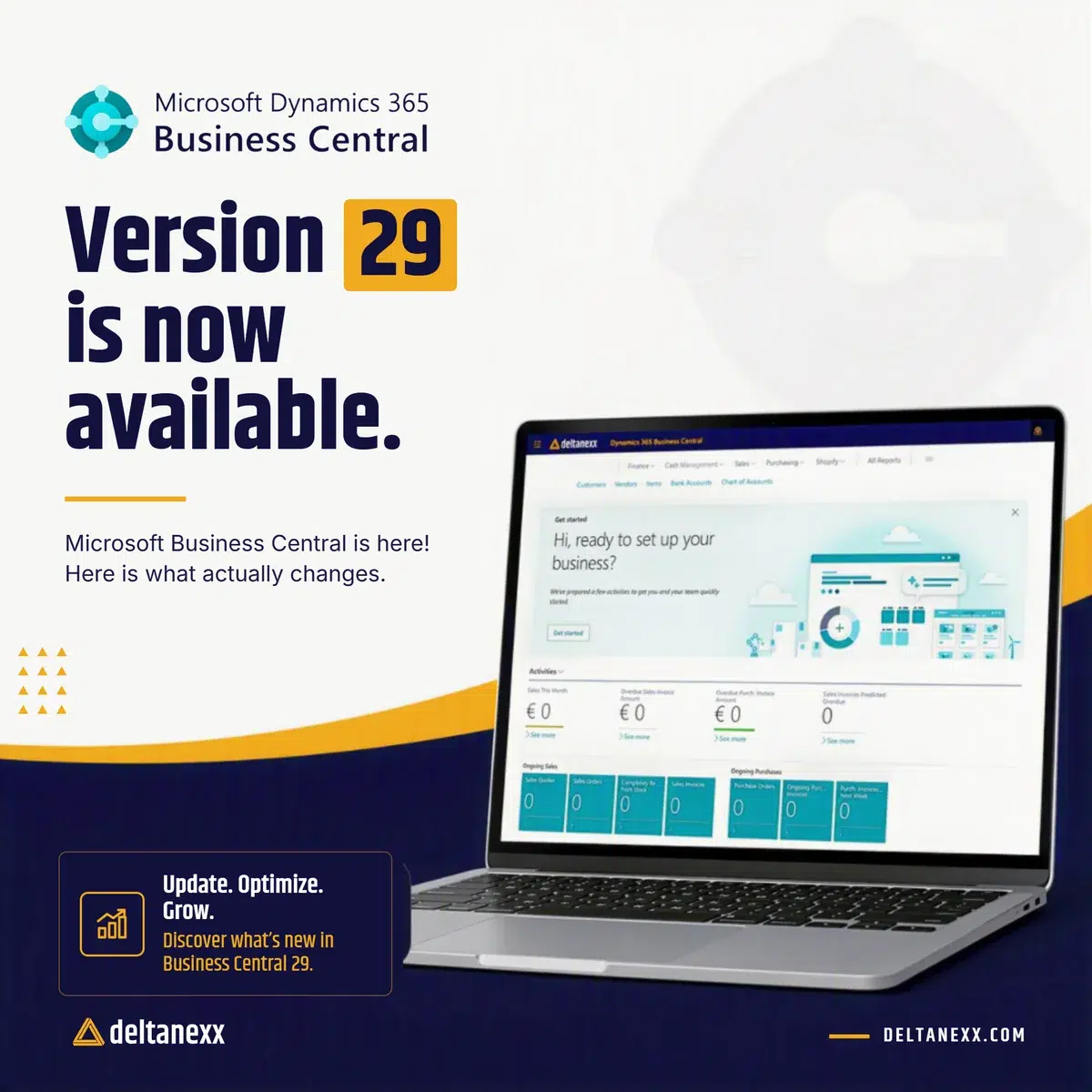
Microsoft shipped version 29.0 on 1 October 2026. Most of it won’t touch your day. Eleven things will.
In short
Microsoft shipped Business Central 29.0 on 1 October 2026. Most of it won’t touch your day. Eleven things will, mostly in the warehouse and in finance, and a handful are switches Microsoft has already thrown for you.
- Release
- 2026 wave 2
- Version
- 29.0
- Available from
- 1 Oct 2026
- SOAP web services are gone for good. Check older integrations now.
- Shopify connector users must be on 29.0 before 31 December 2026.
- Your update window closes in February 2027.
Some switches have been thrown for you
This wave is unusually practical. There is no headline feature to put on a poster. What there is instead is a long list of small frictions Microsoft has finally removed, most of them in reporting, warehouse transfers and subcontracting. For a business that buys, stocks and sells physical goods, that is a better trade than it sounds. But a handful of changes are switches that have now been thrown for you, and those are worth five minutes of your attention.
Integrations
SOAP web services are switched off for good
SOAP endpoints on Microsoft’s standard pages can no longer be re-enabled. Anything still calling them stops working on 29.0: an older webshop link, a scanning tool, a reporting connector, a script someone wrote years ago. The replacement is OData v4 and the API pages. Unsure which of your integrations still use SOAP? We can tell you from your environment.
Manufacturing
‘Manual’ flushing no longer requires a pick
The feature update that lets the Manual flushing method work without a warehouse pick is now mandatory. If production consumption relies on the old behaviour, test it in a sandbox before your update lands.
Finance
New reminder communication texts
The newer communication texts on reminder terms are now mandatory. If your dunning letters still use the legacy text setup, the wording your customers receive can change. Review your reminder terms first.
Finance
Default values for financial reports
Default values on financial reports are now permanently on. Reports that relied on blank defaults may resolve differently. Check your month-end pack before you rely on it.
Security
Sensitive data masking is permanent
Masking sensitive data can no longer be disabled. Masked fields stay hidden in the client for users without the right permissions.
E-commerce
Shopify: a hard date of 31 December 2026
The Shopify connector from 2026 wave 1 runs on Shopify API 2026-01, which Shopify supports only until 31 December 2026. Run the connector? Be on 29.0 before that date or the integration stops synchronising.
On-premises
On-premises needs a stepping stone
Still on your own servers on version 24 or earlier? Upgrade to version 25 first before you can reach 29. Version 29 also drops a set of objects marked obsolete in earlier releases.
Optional
Two new switches, both off by default
New Document Report Experience is the foundation for report theming (see 04). Accelerated Depreciation adds depreciation methods for fixed assets. Neither turns itself on.
Your deadline
Your update window closes in February 2027
Every online environment gets a five-month window to schedule the move to 29.0. After that, Microsoft updates you on its own timing. We would rather agree a date with you, and we run the update outside your working hours.
The warehouse changes are the best part of this release
Three changes that remove real friction from transfers, receiving and inspections, the places where a distribution business loses its time.
01Direct transfers now work from warehouse-enabled locations
A direct transfer moves stock from one location straight to another, without routing it through an in-transit location. Goods leave and arrive in a single posting, so there is no window where the stock belongs to neither warehouse. Until this release you could not use it at all from a location with outbound warehouse handling switched on. Version 29 lifts that restriction, without giving up the picking and shipment controls the location already enforces.
Until now, one setting on the Inventory Setup page decided how every direct transfer in the company posted. If one warehouse needed picking and shipping controls and another didn’t, you had to choose which one to compromise. That single switch is gone. You now set Direct Transfer Posting per transfer route, the transfer order uses the route’s setting when there is one, and you can still change it on an open transfer order.
- Company defaultInventory SetupDefault Direct Transfer Posting
- Per routeTransfer RoutesDirect Transfer Posting
- Per documentOpen Transfer OrderChange it when you need to
Which document you post from depends on the source location: nothing special means the transfer order; Require Pick alone means an inventory pick; Require Shipment alone means a warehouse shipment; both together means registering the warehouse pick, then posting the warehouse shipment. Directed put-away and pick locations use the advanced warehouse process as usual.
Two limits before you plan around it. With Shipment and Receipt, the destination cannot require a warehouse receipt or put-away, and Qty. to Ship must equal Qty. to Receive unless you post from a warehouse shipment. With Direct Transfer, only the full line quantity posts, and if the destination uses bins the Transfer-To Bin Code has to be valid.
- Our view
- The most useful change in the release for a multi-location distributor. It ends a compromise that has quietly shaped warehouse setups for years.
- What you need to do
- Nothing automatically. Talk to Deltanexx first if you want to use it, because it changes how your transfer routes are configured.
02Quality inspections stop asking you to do the arithmetic
If you run the Quality Management extension to check goods on receipt, during production or in stock, several fiddly bits are gone. When you finish an inspection, Business Central now fills in Passed Quantity or Failed Quantity itself, from the Sample Size, or from Quantity (Base) when no sample size was set.
Before
- Passed and failed quantities typed by hand
- An unassigned inspection had to be assigned to yourself first
- Little control over where inspected stock landed
- A blocked sale said it was blocked, not by which inspection
Now
- Quantities calculated from sample size or base quantity
- Opening one offers Assign to myself or Ignore
- Dispositions set movement method, quantity basis, destination location and bin
- The error names the inspection and opens it directly
One thing to watch: Quality Management now enforces inspection rules even where access is indirect or implicit. Automations or integrations that used to slip past an inspection check will now be stopped by it.
- What you need to do
- Nothing. It happens automatically if you use the Quality Management extension.
03Subcontracted goods come back in through your normal warehouse process
Subcontracting is when one step in making a product is done by an outside vendor: plating, heat treatment, printing, assembly. Business Central turns that step into a purchase order and moves the half-finished goods, the work in process or WIP, out to the vendor and back.
One distinction drives everything. A final operation produces the item you sell, so it creates real stock and cost. An intermediate operation hands goods to the next step, so nothing lands in inventory yet, otherwise you would count the same goods twice.
If your warehouse runs basic put-away and pick, subcontracted output used to be the awkward exception. Not any more. You can use an inventory put-away for subcontracting purchase lines at any location that requires put-away but not receipt, and inventory picks and return put-aways for WIP transfer orders. Serial and lot numbers on the production order flow through to the subcontracting documents.
Gaps that remain: item tracking isn’t supported for WIP item transfers, and some follow-up processes are still restricted, including receiving subcontracting invoices through Get Receipt Lines and certain undo-receipt scenarios.
- What you need to do
- Talk to Deltanexx first. The location has to require put-away without requiring receipt, which may mean a setup change.
The biggest cluster is documents and reporting
Microsoft rebuilt how document reports are designed and branded, loosened a long-standing limit on excise duties, and taught the framework behind your Peppol invoices to carry orders as well.
04Your invoices can finally look like your company, without a developer
Document layouts become composable. A report theme carries the look: your fonts, colours and spacing. A separate header and footer layout carries the letterhead. Both are applied to layouts rather than baked into them, and both can be defaulted globally, per company, per report or per layout.
- LookReport themeFonts, colours, spacing
- LetterheadHeader / footerReused across reports
- ContentReport bodyThe actual document
- OutputA consistent PDFDefaults per company, report or layout
You can also set a status on every layout, including the ones that ship with Business Central and AppSource apps, so you control which ones users can pick. That ends the long, confusing layout list.
- Our view
- The most visible improvement in the release. Branded, consistent customer documents have been a custom-development line item for years. For most companies they no longer need to be.
- What you need to do
- Your admin enables New Document Report Experience in Feature Management. It is off by default.
05The Word add-in grew up, so your own people can edit layouts
Designing a layout in Word used to mean knowing which dataset field went where. The updated add-in gives you ready-made components for the parts every document has: addresses, field groups, amounts, signature lines and notes.
Before
- Mapping dataset fields one by one
- Every new layout started from nothing
- Hiding a block conditionally needed a developer
- Company information wired into each dataset separately
Now
- Prebuilt components for addresses, amounts, signatures and notes
- Document samples that already look like an invoice or a pick list
- HideIf with a boolean field shows or hides content
- One shared company information dataitem for every layout
- What you need to do
- Nothing. The updated add-in comes with the release. Ask us about a short session if you want your team editing layouts themselves.
06One item can now carry more than one excise duty
An excise duty is a levy on a specific product rather than on the sale: packaging tax, sugar tax, alcohol duty. Business Central handled one per item. A soft drink in a plastic bottle that owes both a packaging levy and a sugar levy now gets both, aggregated and applied together during the transaction.
Before
- One excise duty per item, however many applied
- Duplicate item cards just to carry a second levy
- Remaining duties worked out by hand as corrections
Now
- Several excise duty configurations on one item
- All applicable duties calculated together
- Rate changes maintained in setup, not in code
Check two things before you count on it. Microsoft describes the automatic calculation as covering purchasing and vendor-related transactions; the sales side isn’t mentioned, so don’t assume it. And it ships as a public preview, so it isn’t yet something to run a statutory filing on.
- Our view
- Niche until it is you. For a food, drink or packaging distributor it removes one of the uglier workarounds in the system.
- What you need to do
- Talk to Deltanexx first. It’s a preview, and the duties have to be configured per item before anything calculates.
07E-documents stretch beyond invoicing into EDI
The E-Documents framework, the same machinery Belgian companies already use for Peppol e-invoicing, now also handles Electronic Data Interchange: order exchange and remittance advices alongside invoices, using Peppol BIS 3, open to additional formats over time.
The significance is architectural. Instead of a separate EDI tool bolted on for the customers who demand one, structured document exchange runs through one framework, with one set of connectors and one place to look when something fails.
- Our view
- For a Belgian wholesaler already sending Peppol invoices, this is the natural next step: the same pipe, now carrying orders as well as invoices.
- What you need to do
- Talk to Deltanexx first. It ships as a public preview, and what you can do with it depends on your service provider.
A whole module that only now works here
Microsoft built an expense management module into Business Central earlier this year, but it was closed to Belgian companies until this release.
08Business Central now handles expenses on its own
If you run expenses through a separate app, a shared mailbox and a spreadsheet, this is worth ten minutes. The module covers the whole path from a receipt in somebody’s pocket to a posted ledger entry: categories and posting groups, expense reports, itemisation, participants, per diem, mileage, travel requests, rule validation and approvals.
It runs in two modes. With Expense Agent, employees submit receipts through a web app or by forwarding them to a shared mailbox, and neither route needs a Business Central licence. The agent reads merchant, amount, date and category, creates the expense and groups it into a report. Without the agent, people build expense reports by hand and lose only the receipt scanning and automatic categorisation.

What version 29 adds. The module was English-only and limited to a handful of countries. Version 29 adds Dutch, opens it to every country where Business Central is available, and calculates VAT on expenses, which an accountant still reviews before posting. The whole module is a production-ready preview: supported in production, with no general availability date announced yet.
- Our view
- The first time Business Central has a credible answer to expense management without reaching for a third-party app.
- What you need to do
- Talk to Deltanexx first. It needs setting up, and preview status is worth a conversation before you commit a process to it.
Subcontracting finally gets a setup guide
Two changes for companies that make or assemble, both aimed at the gap between planning a job and getting it done.
09Your instructions to the subcontractor travel with the order
Subcontractors need to know what to do. That information lived in the routing and got retyped onto the purchase order, which takes time and quietly creates differences between the routing, the production order and what the vendor receives. Now it flows through on its own, Description and Description 2 included.
- Step 1Standard taskAdd the comments once
- Step 2Routing operationCopied on assignment
- Step 3Production orderCopied on create or refresh
- Step 4Purchase orderDescriptive lines for the vendor
Attachments follow too, if you switch on both Production Trx and Purchase Trx on a routing header attachment. Two gaps: attachments added by hand to a production order line don’t copy, and purchase-line attachments are not added to the vendor email automatically. A new Subcontracting Setup assisted setup guide walks through the defaults, and the old Subcontracting Worksheet is replaced by the Subcontracting app.
- What you need to do
- Talk to Deltanexx first if you still use the old Subcontracting Worksheet.
10Fewer clicks between planning and the shop floor
Before
- Firm planned orders released in a separate step
- Calendar recalculation from the work centre list
- An expired capacity calendar found when scheduling failed
- An uncertified BOM gave an error and a hunt
Now
- Carry Out Action Message offers Released and Released & Print
- Calculate Work Center Calendar from the card you’re on
- Calendar Entries Available Until shows a warning in time
- The error offers Show Production BOM or Show Routing
- What you need to do
- Nothing. It happens on its own.
The small things you’ll notice on day one
None of these will make a business case. All of them will come up in the first week.
11Four changes that just make the day shorter
- Attached images open without downloading. Click an image attachment and it opens in a viewer, like a PDF preview, with a download button if you want the file.
- Lookups remember what you use. Recently used records sit at the top, per user, with nothing to configure.
- Tell Me remembers your searches. Press Alt+Q and your recent searches are there.
- You can see who touched a record. Lists show an avatar for whoever created or last changed a row: a person, a system user or an AI agent.
- What you need to do
- Nothing. It happens on its own.
Everything else in 29.0
Covered briefly because it is niche, technical, or only relevant if you already use the module. Ask us if any of it applies to you.
What we’re doing about this release
A major update should not land on you by surprise, and you should not have to project-manage it yourself. This is how we handle 29.0 for the customers we support.
We check your extensions
Before your window opens, we validate the apps and customisations in your environment against 29.0 in a sandbox, so nothing breaks on the day.
We map your integrations
SOAP is gone for good. We find the connections that still rely on it and plan the move to OData v4 with you, ahead of the deadline.
We update outside working hours
We schedule the move to 29.0 before February 2027, at a time when nobody needs the system.
Sources. Microsoft Learn: What’s new in Business Central 29.0 and the linked feature pages.
Published 2 October 2026, for version 29.0.
Key takeaway
Your update window closes in February 2027. Let’s pick the date before the calendar does.
We check your extensions in a sandbox, map anything still on SOAP and run the update outside your working hours.
Common questions
Everything you need to know.
When will my environment move to Business Central 29?
Version 29.0 has been available since 1 October 2026. Every online environment gets a five-month window to schedule the update, which closes in February 2027. After that, Microsoft updates the environment automatically on its own timing.
Will our integrations keep working after the update?
Anything still calling SOAP web services on Microsoft’s standard pages stops working on 29.0, because SOAP can no longer be re-enabled. Integrations built on OData v4 or the API pages are not affected. We can tell you from your environment which connections still use SOAP.
We use the Shopify connector. What do we need to do?
Be on version 29.0 before 31 December 2026. The connector from 2026 wave 1 uses Shopify API 2026-01, which Shopify supports only until that date. Version 29 moves the connector to the July 2026 API.
Can Belgian companies use expense management in Business Central now?
Yes. Version 29 opens the expense management module to every country where Business Central is available and adds Dutch. It is a production-ready preview: supported in production, with no general availability date announced yet.
We run Business Central on-premises on version 24. Can we go straight to 29?
No. On-premises environments on version 24 or earlier must upgrade to version 25 first before they can reach version 29.
Keep reading
All articles-

Get paid faster without chasing invoices
Business Central can create, issue and email your payment reminders on a schedule, in your customer’s language. How to set it up in five steps.
Read the article -

Dynamics NAV end of sale: the date that actually matters is not 2031
Microsoft has set the end of sale for Dynamics NAV at 30 April 2031. Five years sounds like comfortable runway. It is not the number to plan against.
Read the article
Not sure which of these matter for your business?
That is a fifteen-minute conversation, not a project. Tell us how you run, and we’ll tell you which three are worth your attention and which twenty you can ignore.